Keystore configuration
Description
Configure the Stream keystore before creating or signing CA material. Stream Offline CA supports both Stream-managed software keystores and PKCS#11 HSM keystores.
|
Select the keystore model before the ceremony starts. Changing the keystore model during a ceremony changes the records, backup, and custody expectations. |
Configure a keystore
-
Software keystore
-
PKCS#11 keystore
Use this path when the approved operating model stores CA keys in a Stream-managed software keystore. For the Stream-side reference, see Software keystore.
-
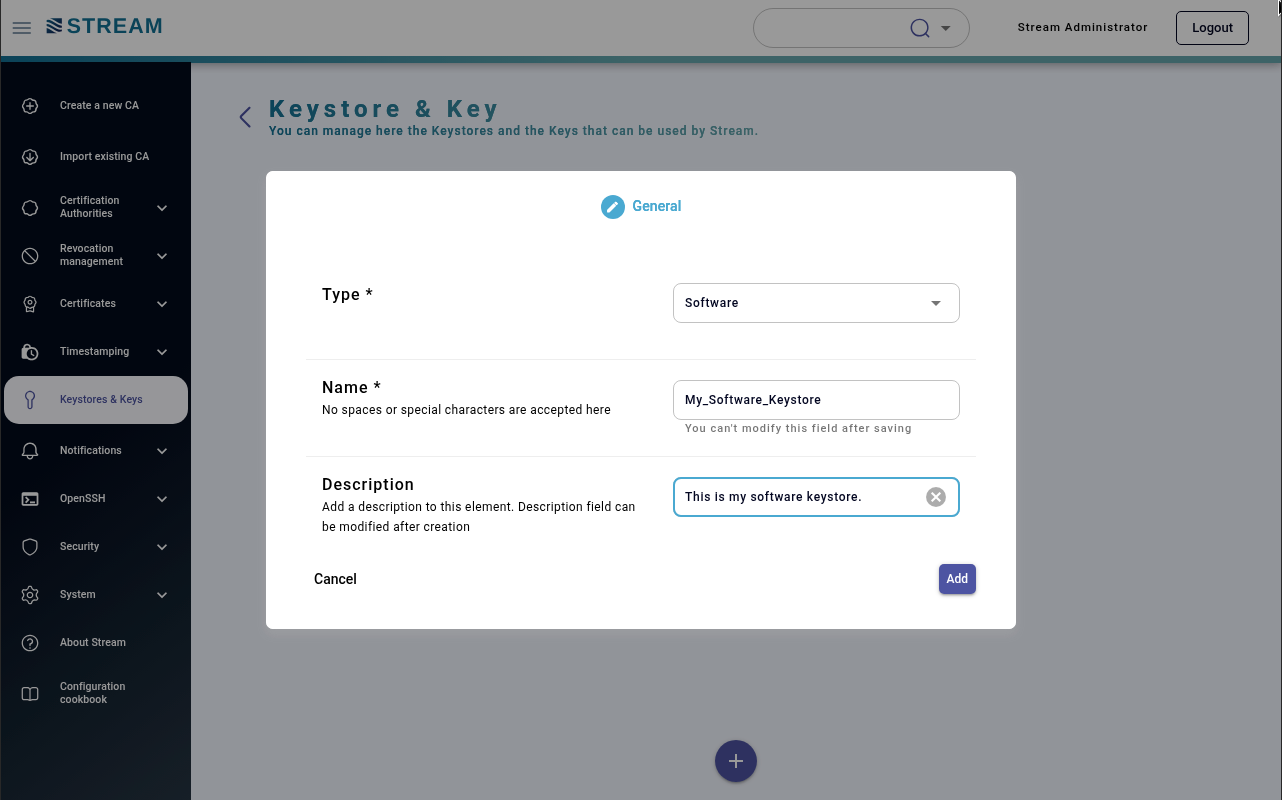
In Stream, open Keystores and keys.
-
Add a new keystore.
-
Select
Software. -
Enter the approved keystore name and description.
-
Save the keystore.
-
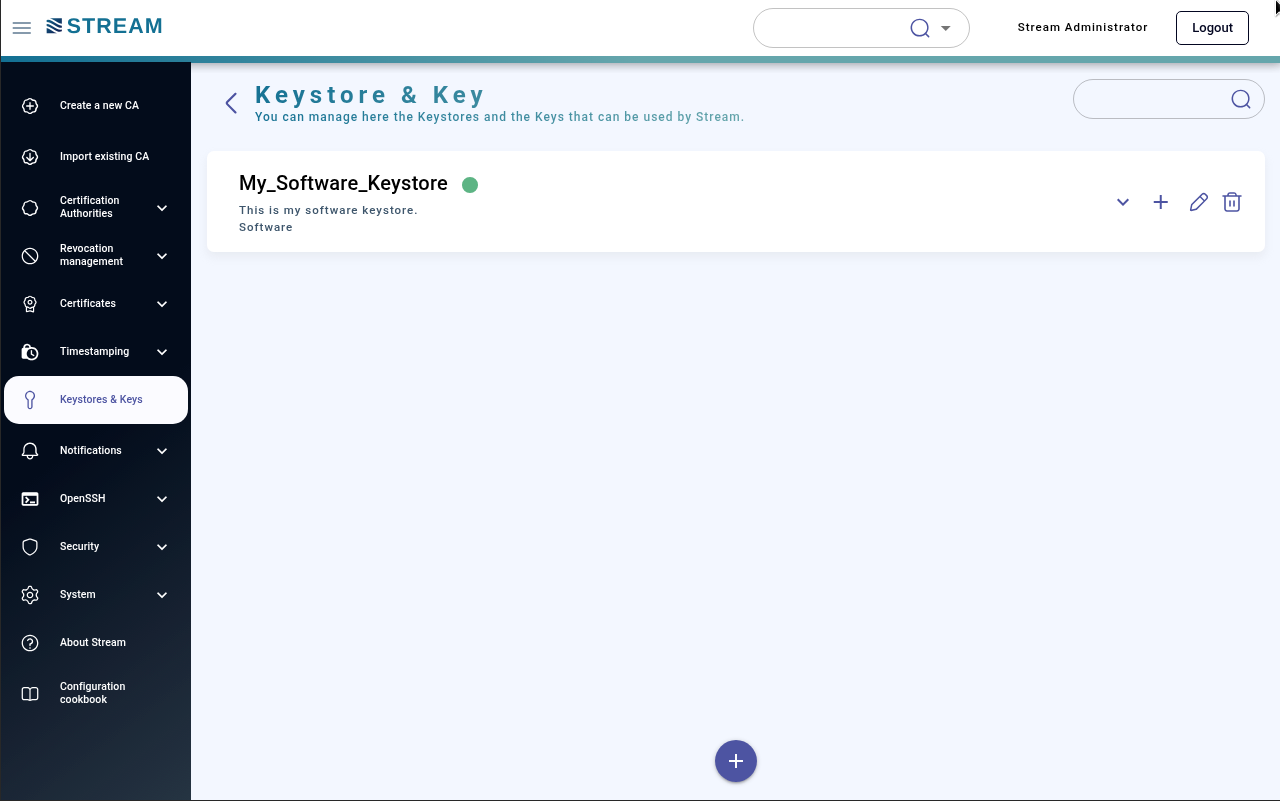
Verify that the keystore is available.
Include the software keystore in the Stream Offline CA backup strategy so that the appliance state can be restored for future operations.
Use this path when the approved operating model stores CA keys in an HSM exposed to Stream through PKCS#11. For the Stream-side reference, see PKCS#11 HSM.
-
Complete the middleware procedure for the selected HSM.
-
In Stream, open Keystores and keys.
-
Add a new
PKCS#11keystore. -
Enter the approved PKCS#11 library path.
-
Parse the library.
-
Select the approved slot.
-
Enter the approved user type and PIN.
-
Save the keystore.
-
Verify that Stream can access the expected key slot.
The exact PKCS#11 library path and slot values depend on the selected HSM middleware and must be confirmed before production use. Use the selected HSM page for middleware installation: YubiHSM, nShield Edge, Thales Luna, or Proteccio Bull.
PKCS#11 parameters to prepare
For HSM-backed CA keys, prepare the following values before the appliance starts. The operator should copy values from the approved HSM procedure, not discover them during the ceremony.
| Parameter | Purpose in Stream | Ceremony record |
|---|---|---|
PKCS#11 library path |
Dynamic library loaded by Stream to talk to the HSM middleware. |
|
Slot identifier |
HSM token slot selected by Stream when creating or using keys. |
Slot ID or token label shown in Stream, without exposing PINs. |
User type |
PKCS#11 login role used by Stream, such as the normal user role supported by the HSM. |
Configured role name and approval reference. |
PIN or authentication mode |
Secret used by Stream to open the HSM session. |
Record only the custody model and verification result. Do not record the PIN value. |
Key label |
Human-readable label used to identify the CA key in the keystore. |
|
HSM backup reference |
Vendor-specific backup material required to recover the HSM key state. |
|
Verification after save
After saving a keystore, validate it before creating CA material:
-
Refresh the Stream keystore list.
-
Open the keystore details.
-
Verify that the expected slot or software keystore is displayed.
-
For PKCS#11, verify that Stream can list or create the expected key object.
-
If the keystore is HSM-backed, verify that the matching HSM backup or restore procedure is available before continuing.